
Guide 7 of 9
How do I change my goal in Ubod?
By the Ubod team · · 2 min read
In Ubod, open the Profile tab, tap the gear at the top right, then My Goals. Tap Goal to choose between losing weight, maintaining your weight, gaining weight or building muscle, then tap Save. Ubod recalculates your calories and macros for the day right away.
Before you start
- Your targets come from your profile: sex, age, height, weight, activity level and goal. Ubod calculates your needs with the Mifflin-St Jeor equation.
- Changing any of these in My Goals or in Profile updates your daily targets, with nothing else to do.
The 5 steps
Open Profile, then the gear
Tap Profile in the bottom bar. The screen sums up your calories left, your step goal and your roadmap to your goal weight. Tap the gear at the top right to open Settings.
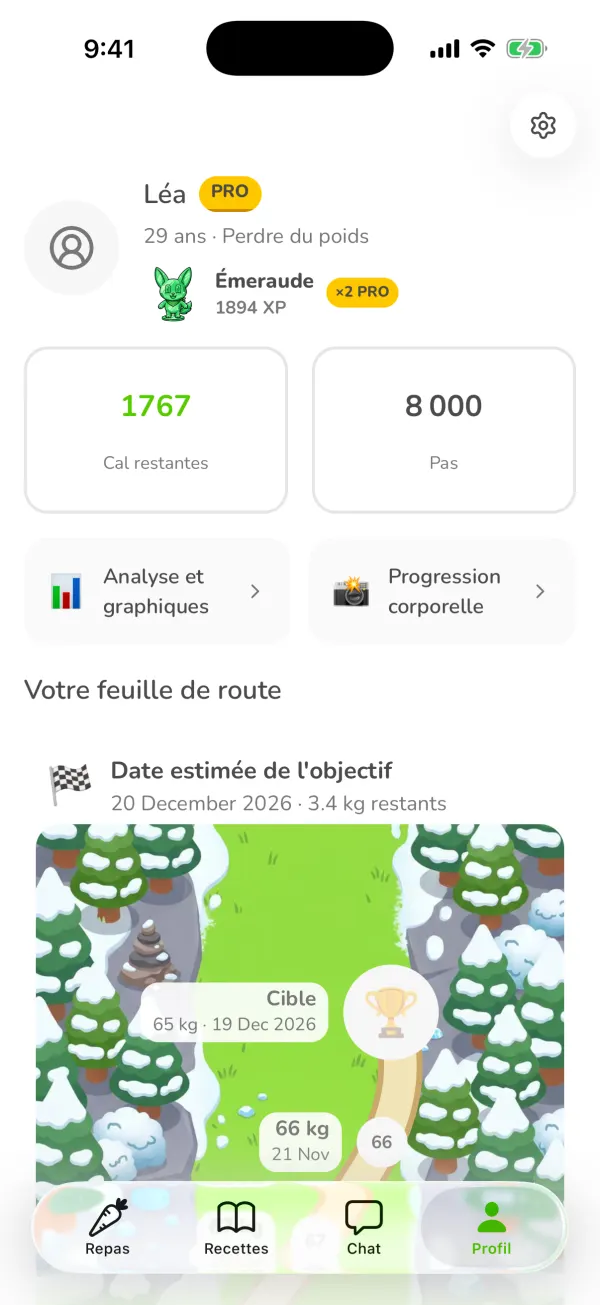
The Ubod Profile tab with the calories left, the step goal, the roadmap and the settings gear Tap My Goals
In the Settings list, My Goals is the third row, under Account and Profile.
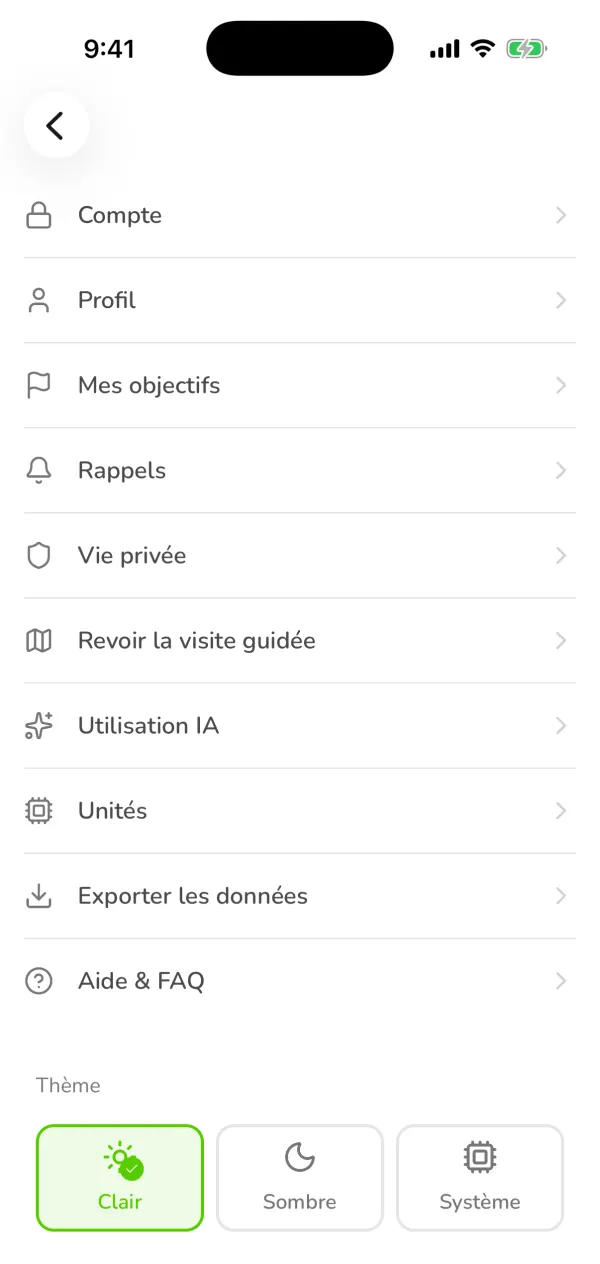
The Ubod Settings screen with Account, Profile, My Goals, Reminders, AI Usage, Units and the theme Choose the row to change
My Goals brings together everything that sets your targets: your goal, starting weight, goal weight, activity level, weekly goal, step goal, water tracker and nutrient goals. Each row shows its current value.
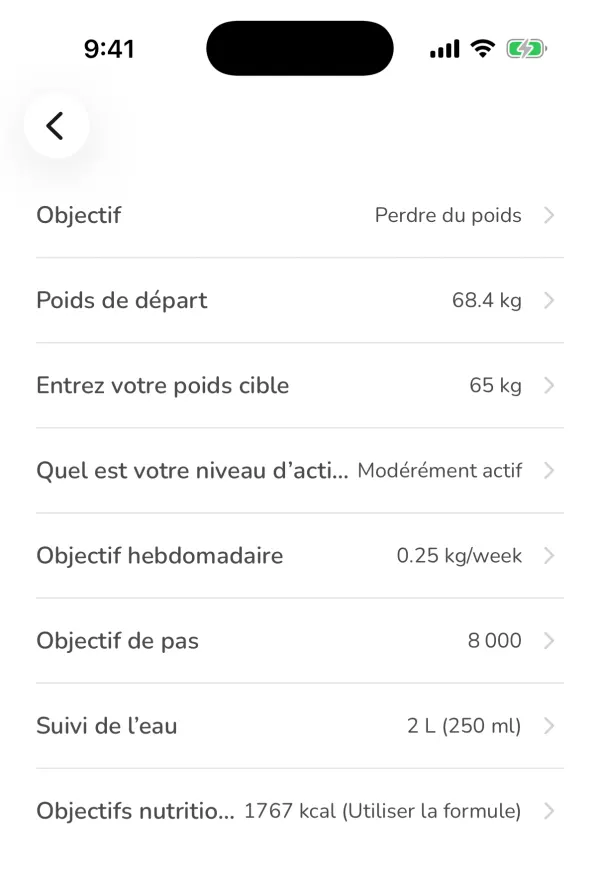
The Ubod My Goals screen with the Lose weight goal, a 65 kg goal weight, 8,000 steps and 1,767 kcal Change your goal and save
Tap Goal. Under "What's your goal?", choose Lose Weight, Eat healthier without losing weight, Gain Weight or Build Muscle, then tap Save. Then check your goal weight and your weekly goal: from Slow to Very Fast, Ubod shows the recommended pace.
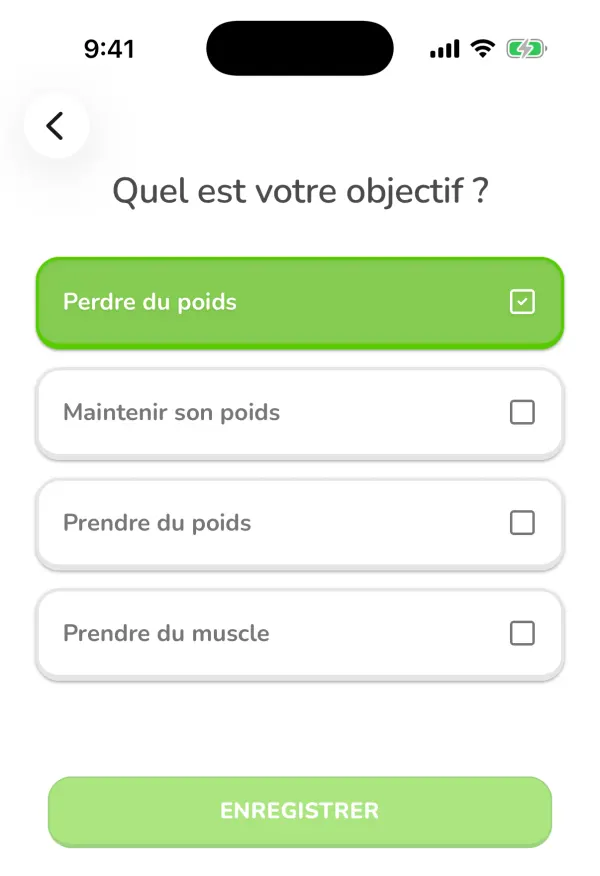
The goal choice in Ubod: lose weight, maintain your weight, gain weight or build muscle Adjust your calories and macros
Nutrient Goals shows the calories calculated for you ("Use Formula") or lets you set your own number with Custom. Below it, the macro split offers Standard (Balanced), Low Carb, High Protein, Low Fat or Custom, with the grams of carbs, protein and fat per day. Protein is set from your body weight (for example 1.6 g per kg), not from a fixed percentage.
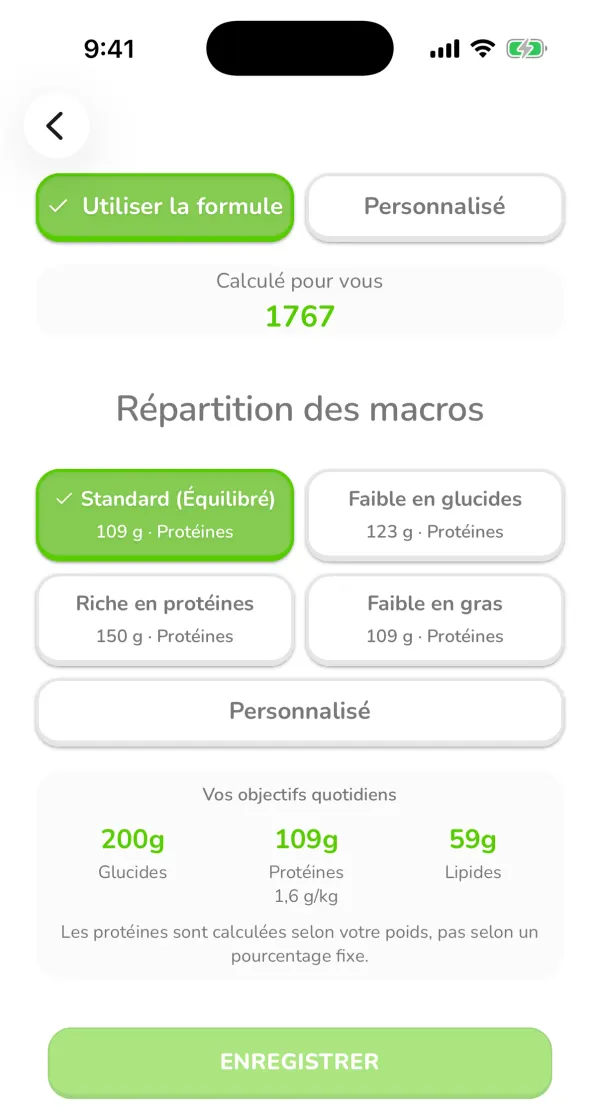
Ubod's nutrient goals with 1,767 kcal calculated, the Standard split and 200 g of carbs, 109 g of protein and 59 g of fat
Frequently asked questions
How does Ubod calculate my calories?
With the Mifflin-St Jeor equation, from your sex, age, height, weight and activity level, then adjusted to your goal and your weekly pace.
Can I set my calories myself?
Yes. In My Goals > Nutrient Goals, choose Custom instead of Use Formula and enter your number.
Does changing my goal erase my history?
No. Your meals, your weight and your streaks stay. Only the targets for the days ahead change.

Try Ubod for free
Calories, photo scan, barcode, recipes and Fanak, your nutrition coach.