
Guide 1 of 9
How do I log a food in Ubod?
By the Ubod team · · 3 min read
In Ubod, open the Meal tab, tap the + next to the right meal (Breakfast, Lunch, Dinner or Snacks), search for the food, tap the + on the right result, choose the portion, then tap "Add to Meal". Your calories and macros for the day update right away.
Before you start
- You have installed Ubod on iPhone or Android.
- The Meal screen shows the current day. The "left" counter tells you how many calories you have left to reach today's goal.
The 5 steps
Tap the + on the right meal
On the Meal tab, scroll down to the Food card. Each meal has its own green + button. Pick the one for the meal you are eating: the food goes into that meal and nowhere else. Under each meal, Ubod shows the calories already eaten and the share planned for that meal, for example 423 / 442 kcal.
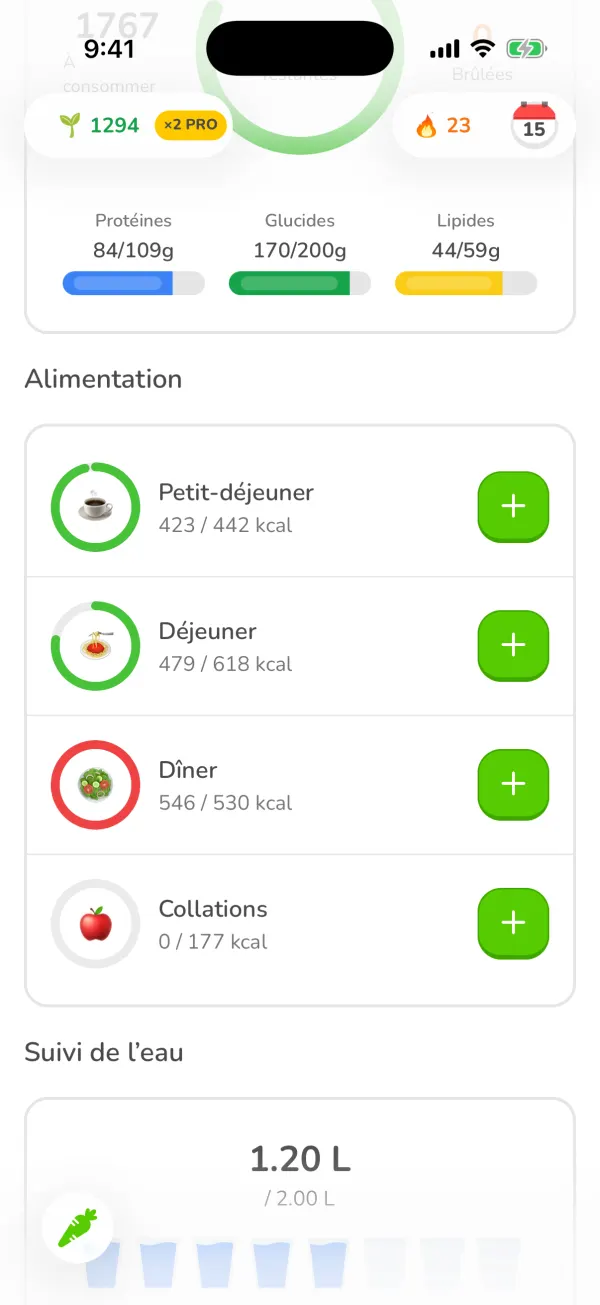
The Ubod Meal screen with the Breakfast, Lunch, Dinner and Snacks meals and their + buttons Type the name of the food
The add screen opens on the Search tab. Type at least two letters in the "Search by name or brand" field. Even before you type, the Recent list suggests the foods you log often.
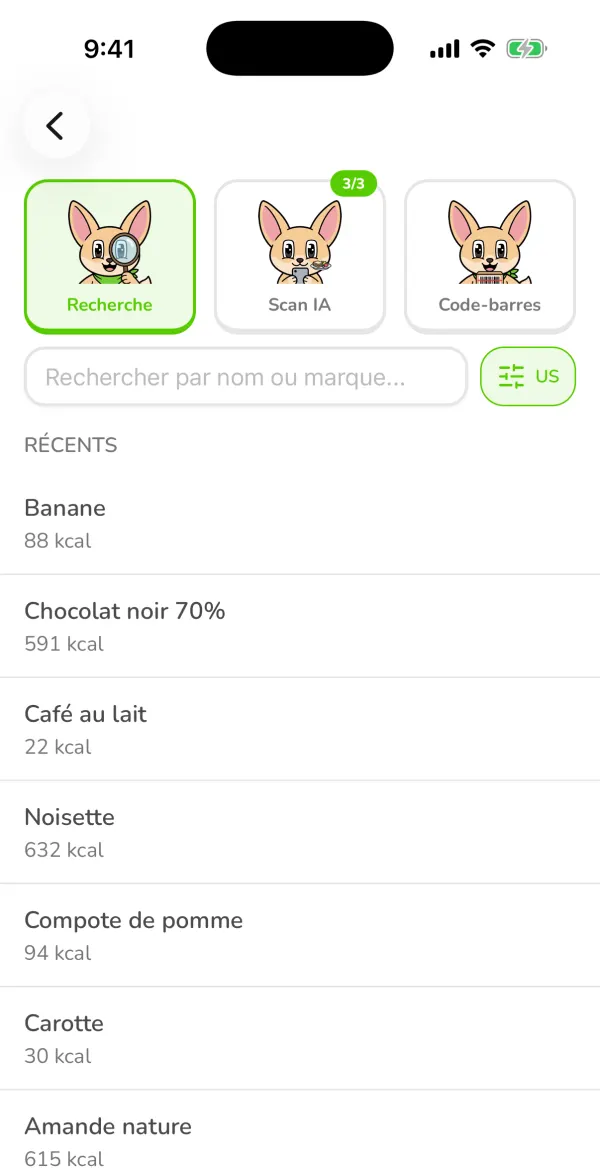
The Ubod food search screen with the Search, AI Scan and Barcode Scanner tabs and the list of recent foods Tap the + on the right result
Results show the calories per 100 g. A green check mark marks a verified food, and the Recent badge a food you have logged before. You don't have to take the first result: tap the + on the one that really matches what you are eating.
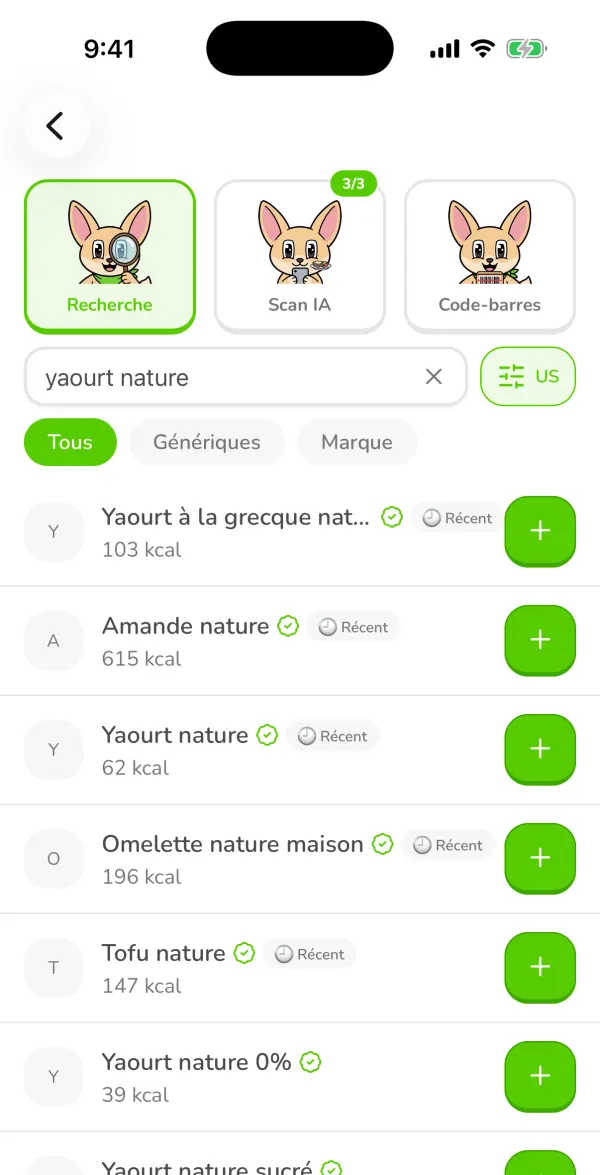
Search results for "yaourt nature" (plain yogurt) in Ubod, with the calories and a + button on each row Choose the portion and add it
The food's page shows the calories, protein, carbs and fat for the chosen portion, then the full nutrition facts. At the bottom, set the quantity and the unit (a pot, grams or a cup, depending on the food), then tap "Add to Meal Snacks". This is the button that actually logs the food.
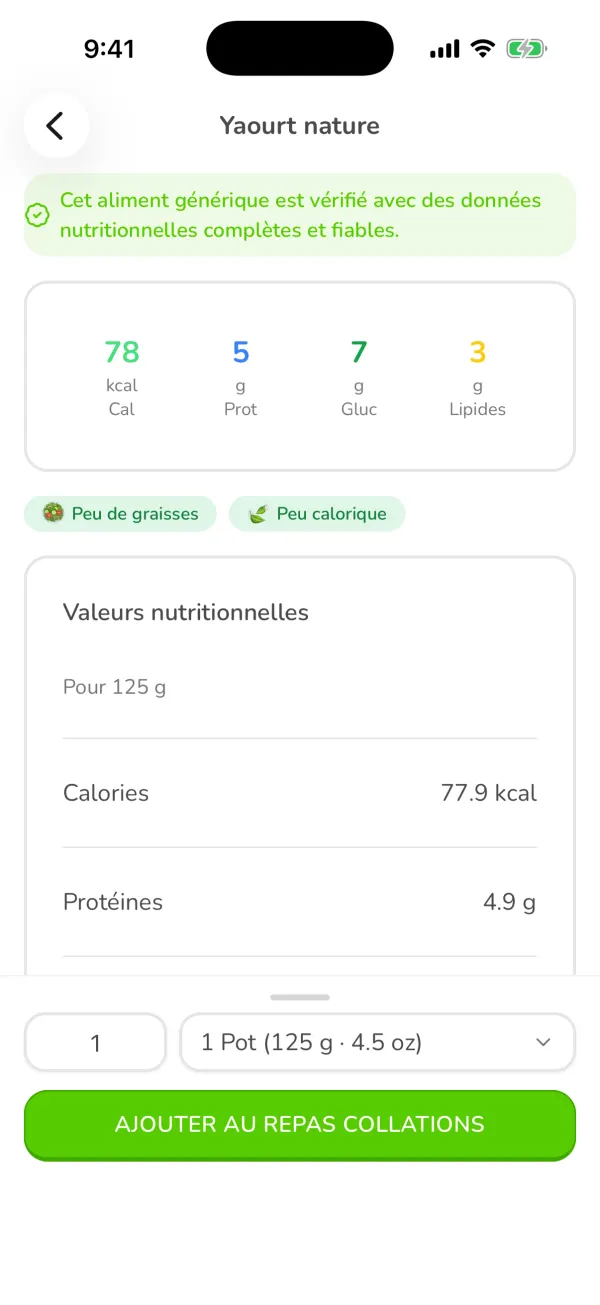
The page for a plain yogurt in Ubod with 78 kcal for a 125 g pot and the button to add it to Snacks Check your day
Back on the Meal screen, the meal shows its new calories (here Snacks goes to 78 / 177 kcal), and the day summary recalculates your calories left and the protein, carbs and fat bars.
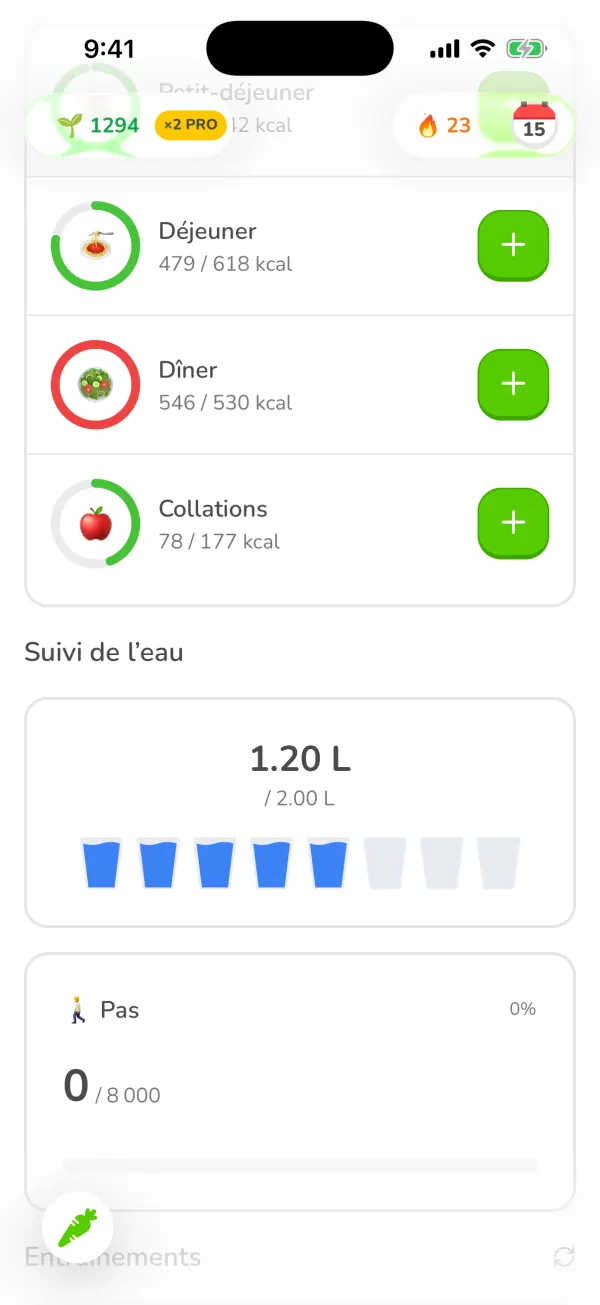
The Ubod Meal screen after adding a yogurt: Snacks shows 78 of 177 kcal
Frequently asked questions
Why does the meal's + matter?
It tells Ubod which meal to put the food in. If you use the + on Snacks, the food is logged under Snacks, not lunch.
How do I log a food for another day?
Tap the calendar at the top right of the Meal screen and pick the day. The meal + buttons then log the food on that date.
What does the green check mark next to a food mean?
It marks a verified generic food, with complete and reliable nutrition data. These foods come from the Ciqual food composition table published by ANSES, the French food safety agency.
Is logging food in Ubod free?
Yes. Food search, the barcode scanner and the food diary are included in Ubod's free plan.

Try Ubod for free
Calories, photo scan, barcode, recipes and Fanak, your nutrition coach.