
Guide 8 of 9
How do I change Ubod's settings?
By the Ubod team · · 2 min read
In Ubod, you open the settings from the Profile tab, with the gear at the top right. The Settings screen brings together Account, Profile, My Goals, Reminders, Privacy, Replay app tour, AI Usage, Units, Export Data and Help & FAQ, plus the choice of a light, dark or system theme.
The 4 steps
Open Settings
Tap Profile in the bottom bar, then the gear at the top right. Each row opens a settings screen. At the bottom, Theme switches the app to Light, Dark or System (the app then follows your phone's setting).
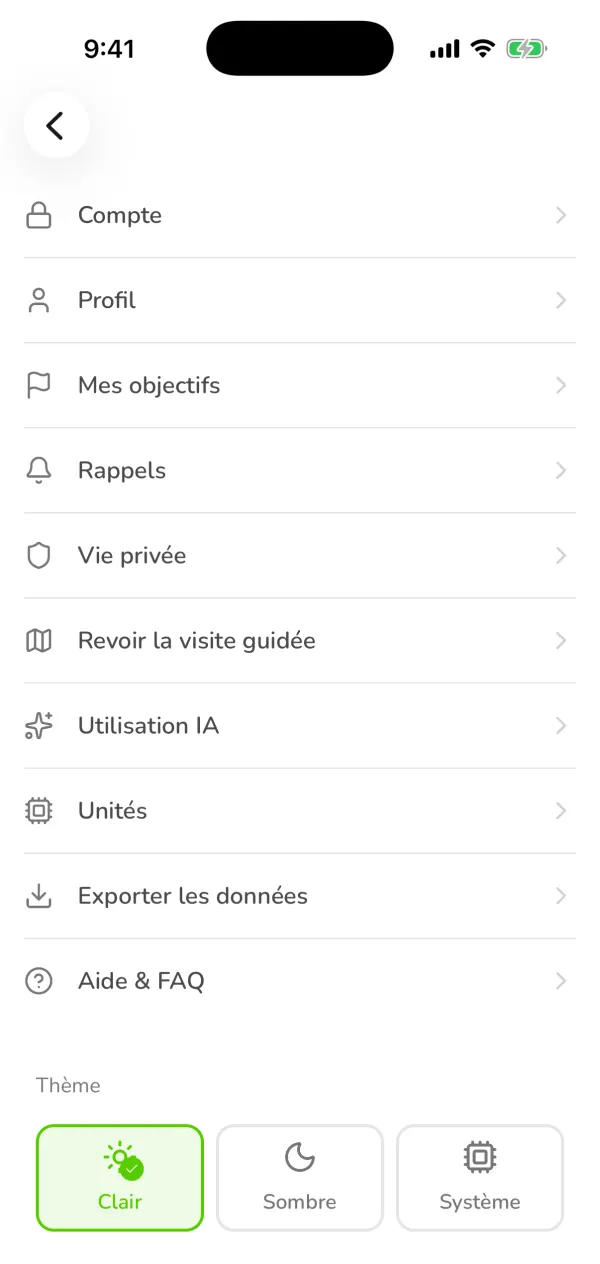
The Ubod Settings screen with Account, Profile, My Goals, Reminders, Privacy, AI Usage, Units, Export Data, Help & FAQ and the theme Edit your profile
Profile holds your first name, last name, sex, date of birth and height. Tap a row to change it. Sex, age and height are used to calculate your calories: your targets adjust as soon as you change them.
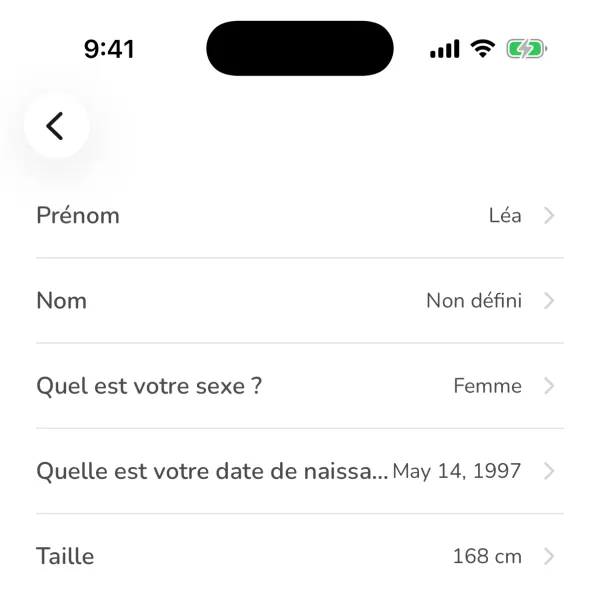
The Profile settings screen in Ubod with the first name, last name, sex, date of birth and height Set your reminders
Reminders turns each notification on or off and sets its time: the streak reminder, sent as a notification and by email when your streak is in danger, the meal reminders (breakfast, lunch, dinner, snack), the daily weigh-in and three reminders to drink water. Tap the time to change it, and the switch to turn the reminder on or off.
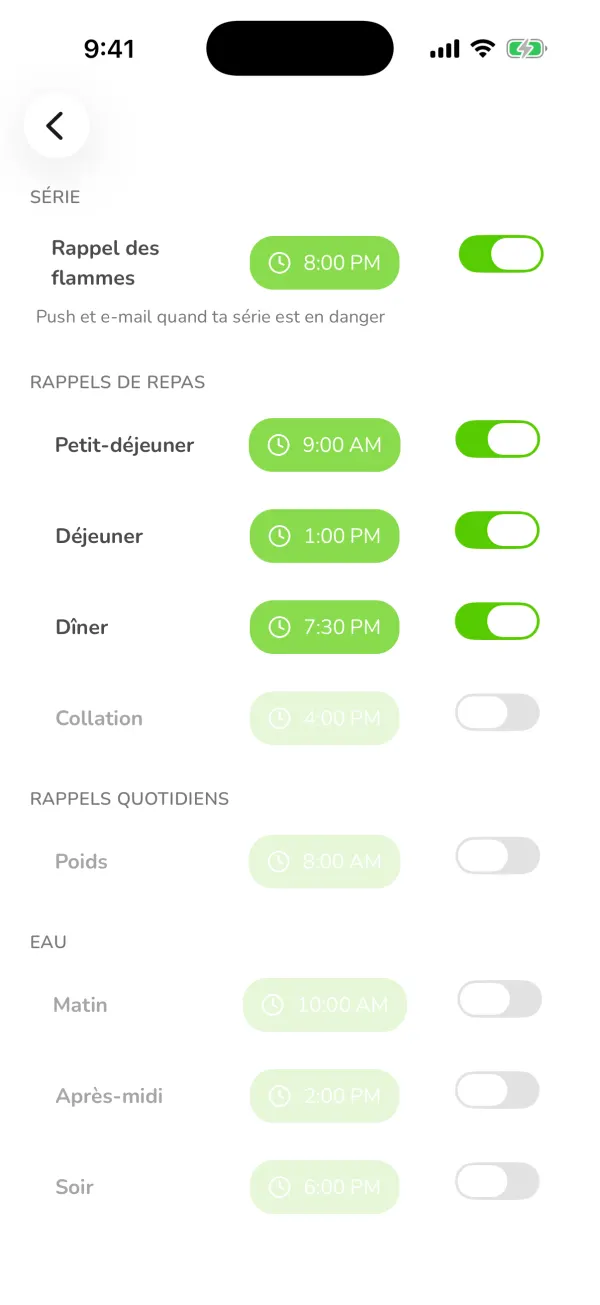
Ubod's reminders: streak reminder, meal reminders, weight reminder and water reminders with their times and switches Choose your units
Units shows weight, height, energy and portions. The Metric / Imperial switch changes kilograms and centimeters to pounds and feet. Tap Save to apply the change across the app.
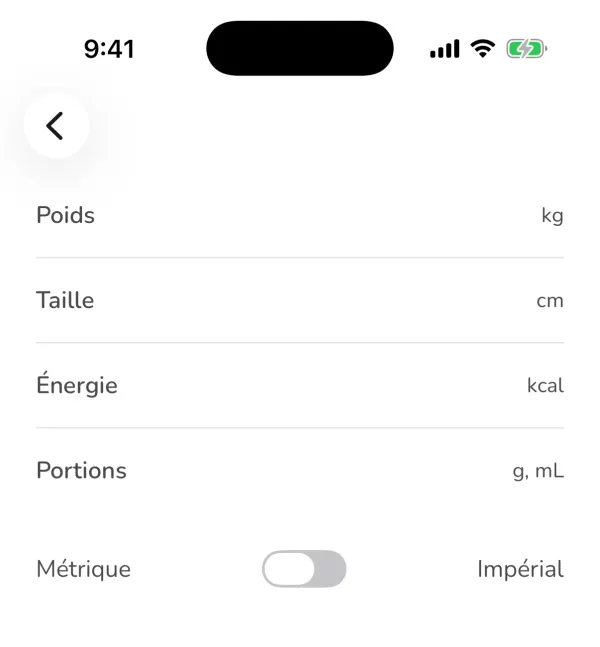
The Ubod Units screen with weight in kg, height in cm, energy in kcal and the Metric or Imperial switch
Frequently asked questions
Where are the settings in Ubod?
In the Profile tab, behind the gear at the top right of the screen.
How do I turn on dark mode in Ubod?
In Settings, Theme section at the bottom of the screen: choose Dark, or System to follow your phone's setting.
How do I switch to pounds and feet?
In Settings > Units, flip the switch to Imperial, then tap Save.

Try Ubod for free
Calories, photo scan, barcode, recipes and Fanak, your nutrition coach.